画像設定内容の変更
最終更新日:2026-04-06 11:47:50
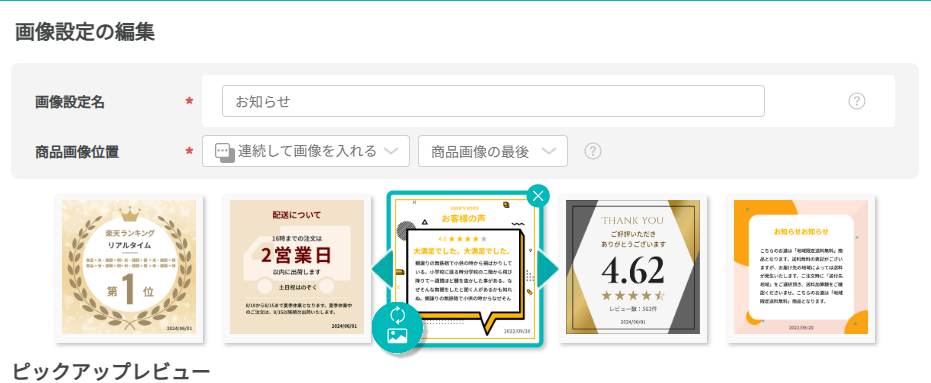
画像設定画面にて、反映する画像を追加・変更できます
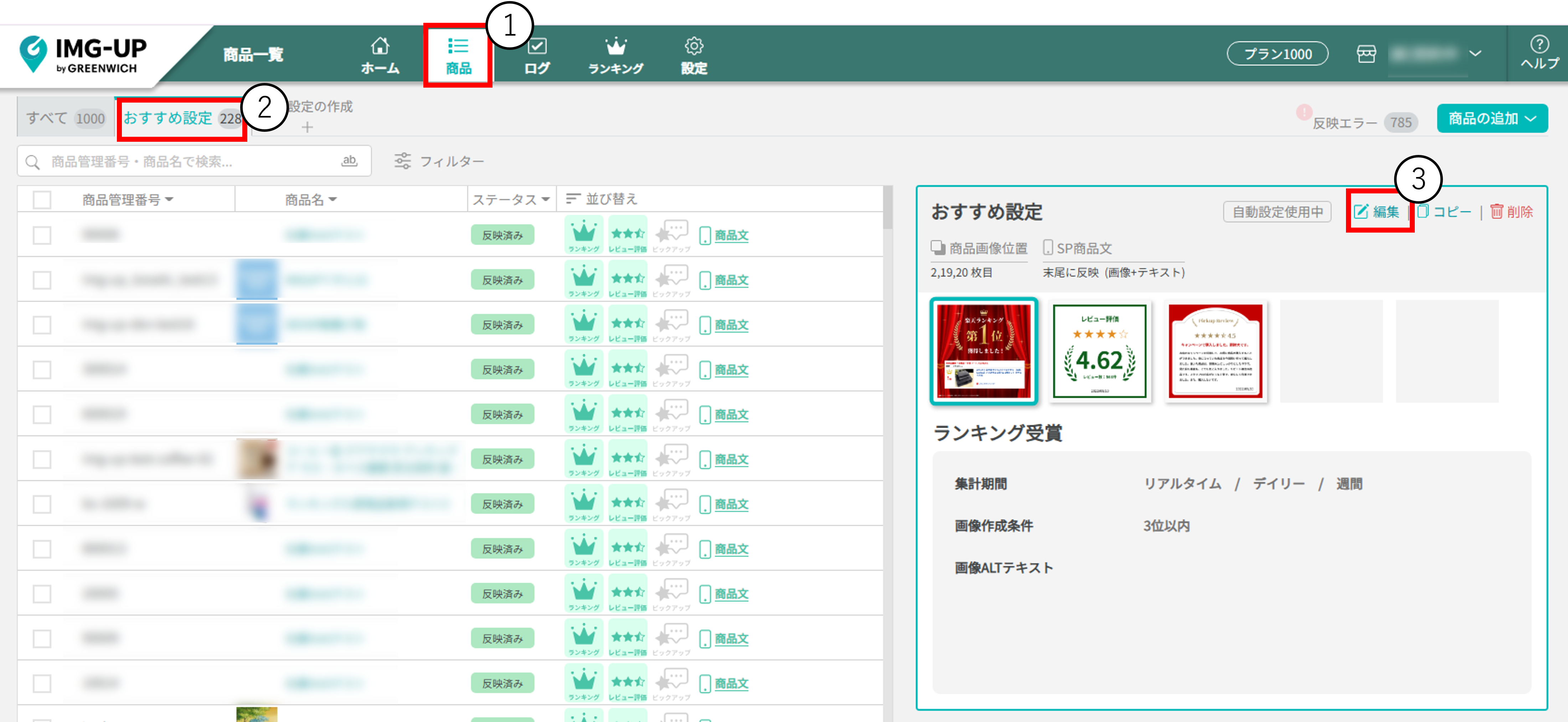
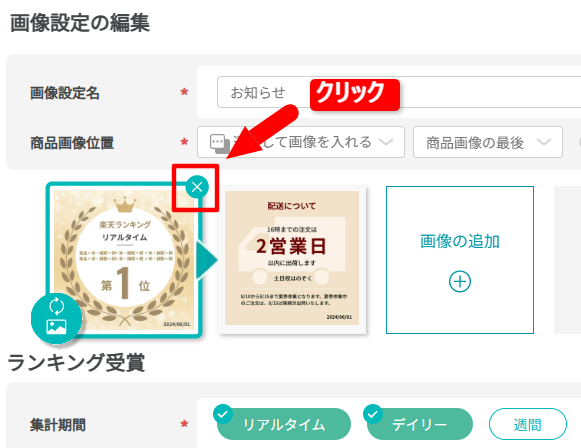
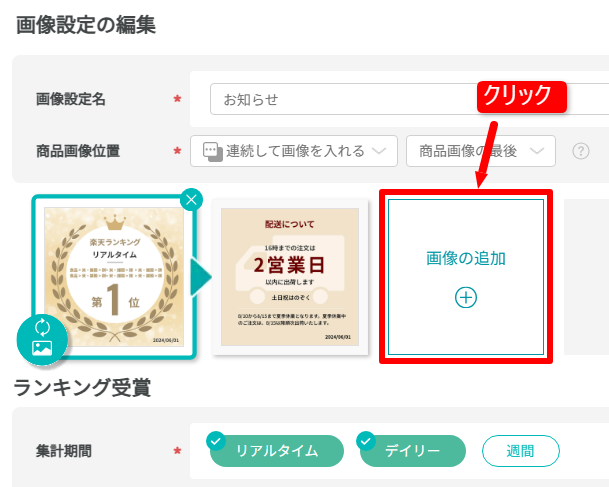
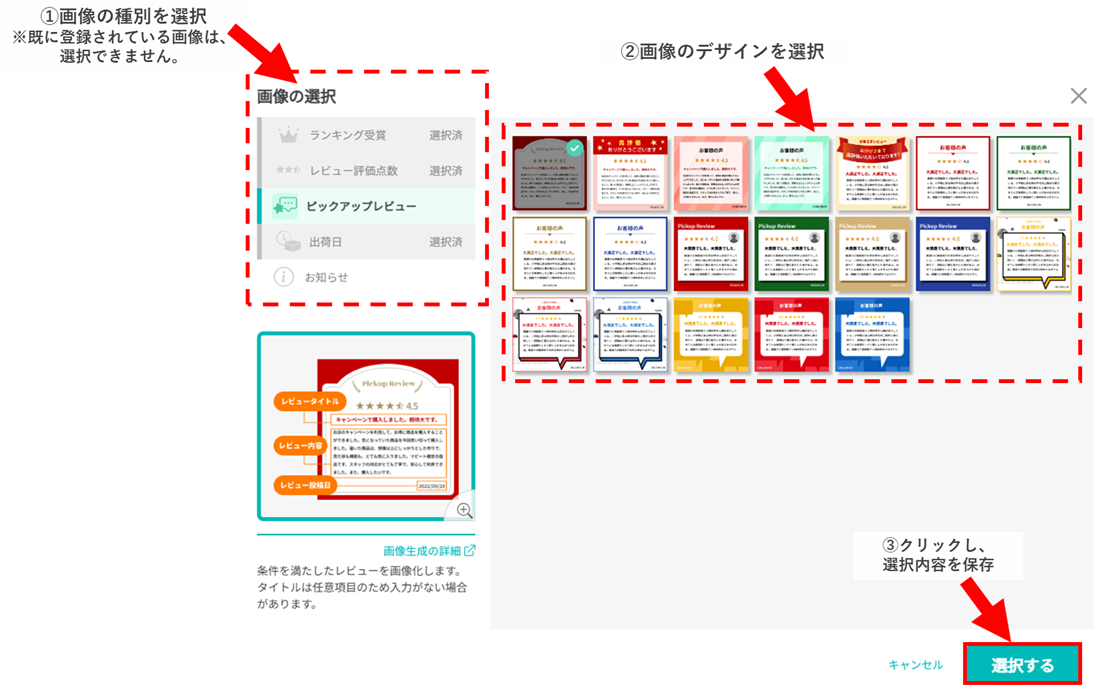
6
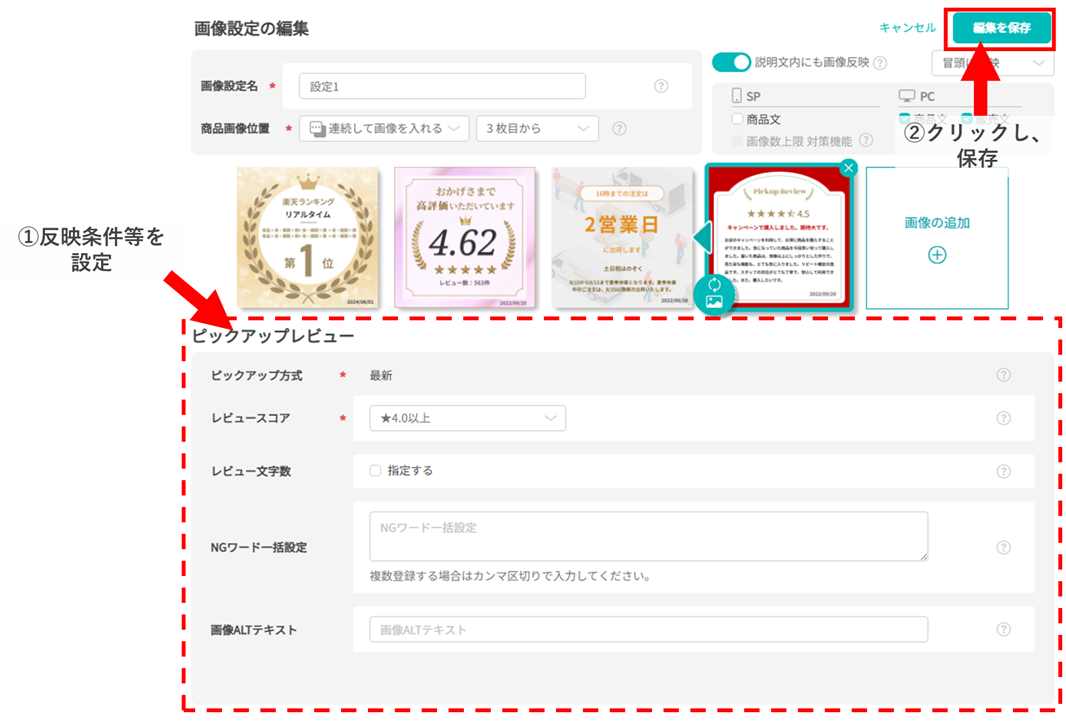
反映条件を設定する
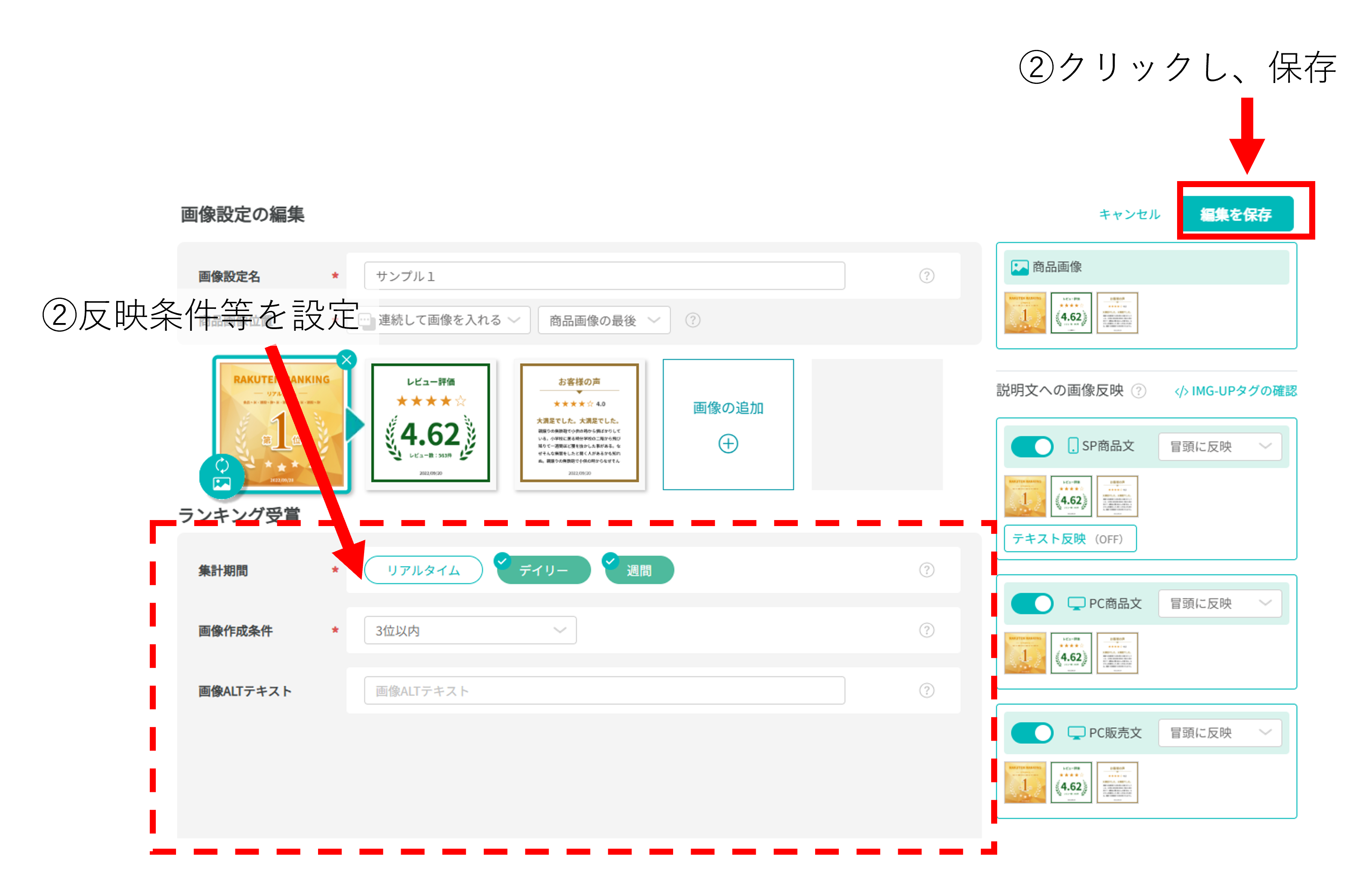
反映条件を設定し、「編集を保存」をクリック
※各画像の設定項目については、以下のマニュアルをご確認ください
▼ランキング受賞
https://img-up.greenwich.co.jp/manual/image__detail_ranking.html
▼ランキング受賞履歴(商品画像あり)
https://img-up.greenwich.co.jp/manual/image__detail_info.html
▼レビュー評価
https://img-up.greenwich.co.jp/manual/image__detail_shopreview.html
▼ピックアップレビュー
https://img-up.greenwich.co.jp/manual/image__detail_pickupreview.html
▼ピックアップレビュー(クーポン付き)
https://img-up.greenwich.co.jp/manual/image__detail_1388.html
▼クーポン(LINE友達追加)
https://img-up.greenwich.co.jp/manual/image__detail_1389.html
▼クーポン(レビュー投稿)
https://img-up.greenwich.co.jp/manual/image__detail_1390.html
▼クーポン(LINE友だち追加 + レビュー投稿)
https://img-up.greenwich.co.jp/manual/image__detail_1392.html
▼出荷日
https://img-up.greenwich.co.jp/manual/image__detail_shipdate.html
▼お知らせ
https://img-up.greenwich.co.jp/manual/image__detail_info.html
7
※注意※ 反映処理中は編集画面を開くことができません
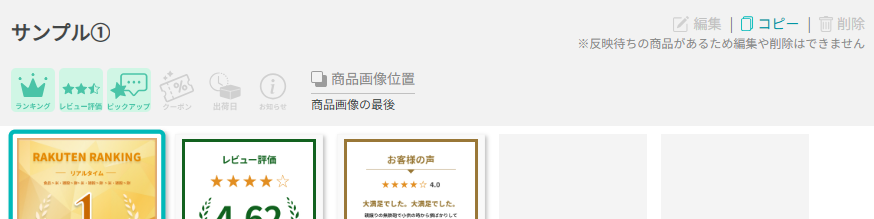
反映待ちの状態になると、編集ボタンを押すことができなくなります。
再度画像設定編集する場合は、反映済みの状態に切り替わってから、ご対応ください。
▼各ステータスの説明